
Sample nginx configuration changes:
nginx.conf
default
Install nginx in Ubuntu 14.04
Refer: https://www.digitalocean.com/community/tutorials/how-to-install-nginx-on-ubuntu-14-04-lts
$ sudo apt-get update
$ sudo apt-get install nginx
It runs under localhost by default.
Manage the Nginx Process
$ sudo service nginx stop
$ sudo service nginx start
$ sudo service nginx restart
Location of default HTML files for nginx:
/usr/share/nginx/html
Change permissions to allow easy access to files:
$ sudo chown -R $USERID:$USERID /usr/share/nginx/html
$ sudo chmod -R 755 /usr/share/nginx/html
You can copy the "build" folder there now for testing, make sure to restart nginx
http://localhost/build/index.html#/?token=1m5rel70oem7e035c2puba6ueo
Additional Setup for Reverse Proxy
Refer: https://www.digitalocean.com/community/tutorials/how-to-set-up-nginx-server-blocks-virtual-hosts-on-ubuntu-14-04-lts
Uncomment One Line
$ sudo gedit /etc/nginx/nginx.conf
### BEGIN SNIPPET 1 OF 2 ###
server_names_hash_bucket_size 64;
### END SNIPPET 1 OF 2 ###
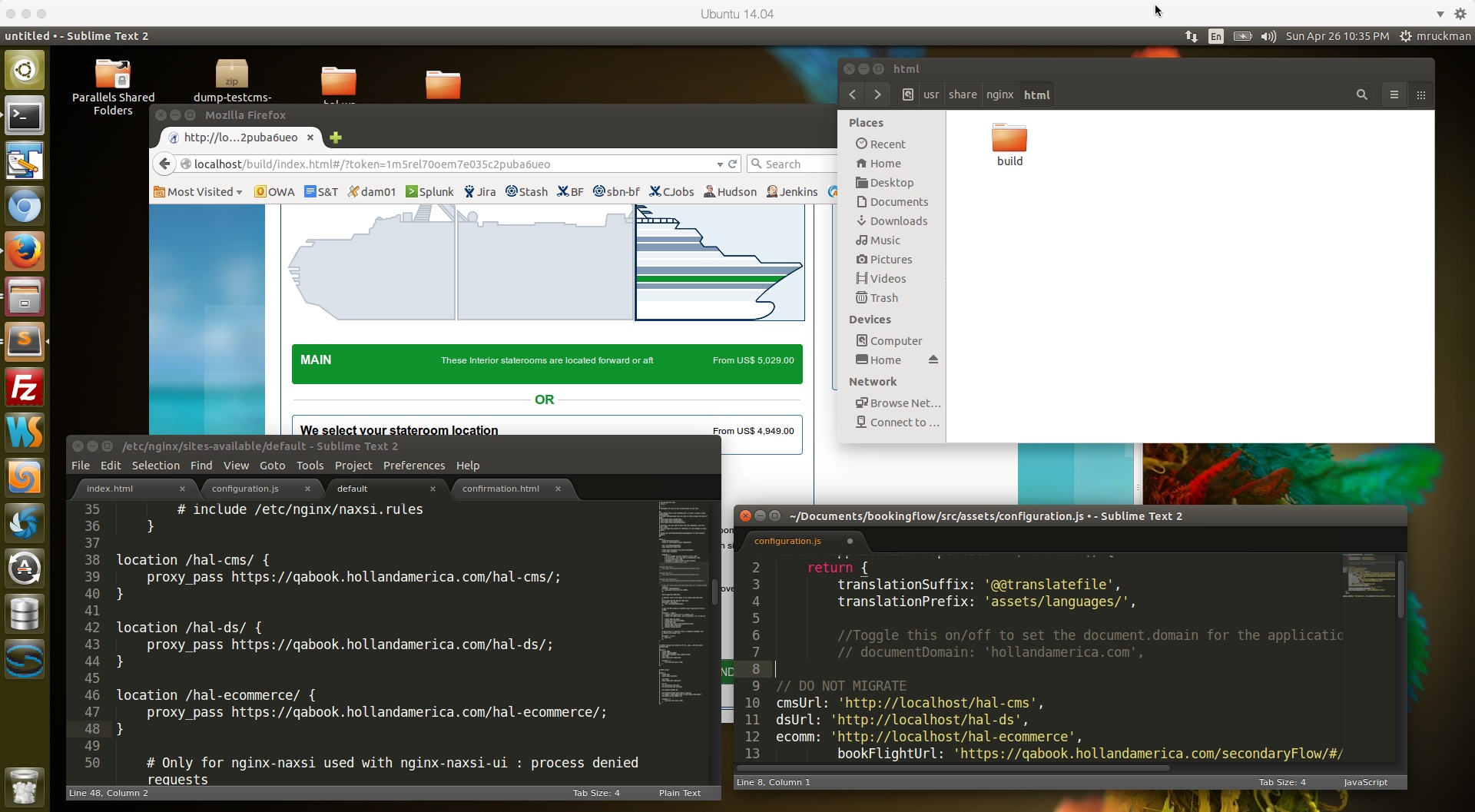
You can edit the default nginx property file here, with 3 reverse proxy examples, and ucomment one line, and restart:
$ sudo gedit /etc/nginx/sites-available/default
### BEGIN SNIPPET 2 of 2 ###
location /hal-cms/ {
proxy_pass https://qabook.hollandamerica.com/hal-cms/;
}
location /hal-ds/ {
proxy_pass https://qabook.hollandamerica.com/hal-ds/;
}
location /hal-dsbooking-server/ {
proxy_pass https://qabook.hollandamerica.com/hal-dsbooking-server/;
}
location /hal-ecommerce/ {
proxy_pass https://qabook.hollandamerica.com/hal-ecommerce/;
}
# Only for nginx-naxsi used with nginx-naxsi-ui : process denied requests
#location /RequestDenied {
# proxy_pass http://127.0.0.1:8080;
#}
### END SNIPPET 2 0f 2 ###
Verify your nginx configuration
$ sudo nginx -c /etc/nginx/nginx.conf -t
UI Code Monkey Patch Example:
// DO NOT MIGRATE
cmsUrl: 'http://localhost/hal-cms',
dsUrl: 'http://localhost/hal-ds',
ecomm: 'http://localhost/hal-ecommerce',
NOTE: Make sure to restart Nginx after all of your configuration changes
$ sudo service nginx restart