
In Network Preferences, do the following. After Apply, I quit Chrome, then logged out of VPN then logged back in. When I started Chrome, it asked me to log in to halproxy01, like Firefox does, and everything worked.
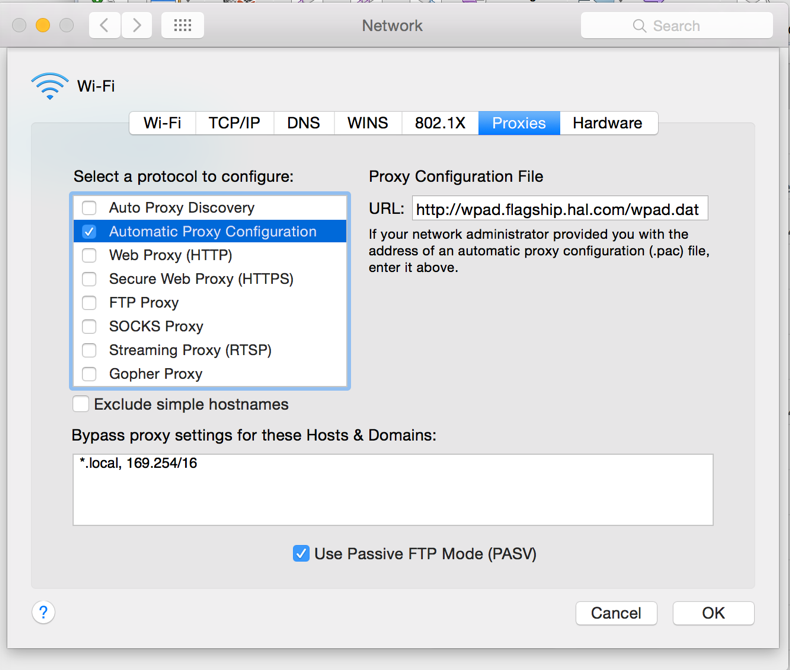
Proxy Configuration File
http://wpad.flagship.hal.com/wpad.dat
Bypass proxy settings:
*.local, 169.254/16