Replace PAC with simple menu system

Store your SSH settings in one file

Refer:  https://askubuntu.com/questions/727903/how-to-save-ssh-options-and-connections-in-ubuntu

Refer: https://askubuntu.com/questions/87956/can-you-set-passwords-in-ssh-config-to-allow-automatic-login/89126

If you precede with a space it won't show in history

$ sshpass -p password-here ssh server-name-here

You can remove your passphrase
ssh-keygen -p

And then follow the prompts, and keep it blank
protectmyhalaccount4menowandthatsallshewrote

You can use a per-user ssh-config file located in

~/.ssh/config

or a system-global one in

/etc/ssh/ssh_config

Host x_label_to_call_here
User user-name-here
HostName host-name-here-or-ip-address
Port 22

Fix disk errors in Ubuntu 16.04

Refer: https://askubuntu.com/questions/953728/how-to-check-a-filesystem-in-ubuntu-16-04/953750

To check the file system on your Ubuntu partition...

  • boot to the GRUB menu
  • choose Advanced Options
  • choose Recovery mode
  • choose Root access
  • at the # prompt, type sudo fsck -f /
  • repeat the fsck command if there were errors
  • type reboot

If for some reason you can't do the above...

  • boot to a Ubuntu Live DVD/USB
  • start gparted and determine which /dev/sdaX is your Ubuntu EXT4 partition
  • quit gparted
  • open a terminal window
  • type sudo fsck -f /dev/sdaX # replacing X with the number you found earlier
  • repeat the fsck command if there were errors
  • type reboot

SSH returns: no matching host key type found. Their offer: ssh-dss (GoDaddy)

Ubuntu 16.04 has disabled ssh-dss, patch applied to ~/.ssh/config, to use

Call from command line
sshpass -p yourpassword ssh -oHostKeyAlgorithms=+ssh-dss username@yourdomain.com

Or Modify config file
-oHostKeyAlgorithms=+ssh-dss

config
Host your-godaddy-domain.com
User your-user-name
HostKeyAlgorithms=+ssh-dss
Port 22

Refer: https://askubuntu.com/questions/836048/ssh-returns-no-matching-host-key-type-found-their-offer-ssh-dss

Refer: http://www.openssh.com/legacy.html

Promos loaded different from QA to Stage

From: "Sankar, Kousalya (HA Group)" <KSankar@HollandAmericaGroup.com>
Subject: Re: Promos loaded different from QA to Stage
Date: June 21, 2018 at 2:21:27 PM PDT

Anila,

To sync up QA and Stage with same data for feed and API, We are thinking of these steps

  • Stop ETL job on both QA and Stage
  • Take weekly snapshot of Voyage and Offer Mongo collections from Prod and upload to Stage and QA Mongo.
  • CJ to check UAT voyages on Mongo and update Rate Codes in Polar region if needed
  • Point Node API for feed to use Prod Oracle
  • Generate feed from QA and Stage (daily or weekly)
  • Feed ingestion scheduled to run on both QA and Stage (daily or weekly)

Thanks,
Kousalya

From: "Poreddy, Rohith (HAL Contractor)" <RPoreddy@hollandamerica.com>
Subject: RE: Promos loaded different from QA to Stage
Date: June 21, 2018 at 11:04:55 AM PDT

Please find the details below

QA:
Data file folder location used by ETL job:  /cdsshore/test-dwh-data
Node API Mongo location for feed:  haluxqamdb02.hq.halw.com
Node API Mongo location for API:  haluxqamdb02.hq.halw.com
Are we running feed ingestion on AEM-QA on daily basis?   Ingestion I am not sure, but we do upload files every day to S3.
ETL Job Status:  Runs every day around 6:30am

STAGE:
Data file folder location used by ETL job:   /cdsshore/test-dwh-data
Node API Mongo location for feed:  haluxstgmdb07.hq.halw.com
Node API Mongo location for API:   haluxstgmdb07.hq.halw.com
Are we running feed ingestion on AEM-STAGE on daily basis?   Ingestion I am not sure, but we do upload files every day to S3.
ETL Job Status:  Currently the ETL job is disabled on Stage

Thanks,
Rohith

Imperva WAF Upgrade at DCC

From: "Brunelle, James (PCL)

Subject: Imperva WAF Upgrade at DCC (CHG0091517)

Date: June 20, 2018 at 6:53:45 PM PDT

Yesterday, we began work in implementing CHG0091517, to upgrade the physical Imperva gateway appliances at DCC from version 11.5 to version 13. We began by pulling one of the gateways out of datapath and performed the upgrade, which we believed to be successful. After placing the upgraded appliance back in datapath, we performed some basic testing to make sure the appliance was passing traffic. At the time, I was able to access multiple sites which were in-line with the web application firewall. While some misconfiguration for several of the HAL sites on the WAF prevented me from running our full battery of tests we usually run at PCL, I had seen enough data to suggest to me that the upgraded gateway was functioning correctly. It became quickly apparent the next morning that there were connectivity issues to these sites. As soon as it was clear that the issue was most likely the upgrade that was causing this issue, we pulled the upgraded gateway back out of datapath and connectivity was restored.

I spent most of today digging into this problem, and we believe we've identified what happened. The Imperva gateways at DCC are placed in-line with web traffic via the Gigamon appliances. The Gigamon adds a 2nd VLAN tag to the packets it sends through the in-line security tools (such as Imperva), pushing the maximum packet size above 1500 bytes. We identified this issue years ago when this was first set up, and we had to set the Imperva gateways network interfaces to accept Jumbo Frames (frames larger than the standard 1500 bytes). This change involved modifying network configuration scripts for each interface on the gateway. We checked to make sure the scripts were set to accept these larger packets after performing the upgrade. However, the setting does not appear to be taking effect on the latest version of Imperva, as the interfaces were set to only accept packets up to the standard 1500 bytes despite the larger value being specified in the configuration files. The result was that a lot of packets were being dropped, and caused the connectivity issues we experienced overnight into this morning.

I have opened a case with Imperva technical support regarding this issue and have been working with them this afternoon and this evening in troubleshooting the problem. I do not have a timeline on when this issue may be resolved or if there is a workaround for this. Obviously, we will not be moving forward with upgrading the other gateway which is currently in datapath until this issue has been resolved. We may want to keep the upgraded gateway out of datapath for the time being in order to perform troubleshooting on this issue, rather than reverting to v11.5 and putting it back in datapath. I will discuss this with our security operations folks tomorrow morning. For now, it remains out of datapath.

As for CHG0091517, I have marked this as "Completed, Unsuccessful". I have marked the P1 incident that was opened (INC0298214) as resolved, as the connectivity issues we experienced went away this morning once the failed gateway was pulled out of datapath. We will not attempt to put that gateway back in datapath without first contacting Anila Augustine first, making sure we have Anila's team standing by to perform their testing once the gateway is placed back in-line. This would also require a separate change be opened at this point since we are outside of our change window for CHG0091517.

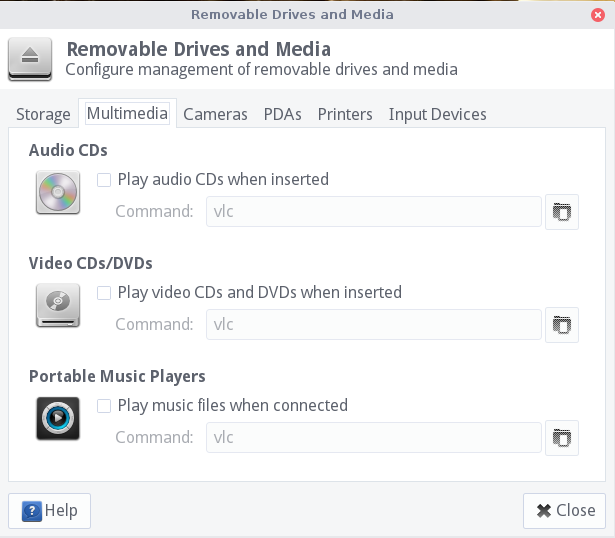
SanDisk Clip Jam – AudioBooks

For an Audiobook, it was necessary to play it as music, and rename the Album for each disk with a prefix, like 01, 02 .. 0N, it could not keep the tracks from mixing otherwise.