Install SQL Developer in Ubuntu 14 in VirtualBox

When launching the SQL Developer bash script it asked for the Java location, could not find it.

If you’ve installed Java 7, and you launch SQL Developer, use this as the path, or the equivalent:
/usr/lib/jvm/java-7-oracle

You can set your java_home but this does not help the above:
sudo nano /etc/environment
JAVA_HOME=/usr/lib/jvm/java-7-oracle

SQL Developer that works with Java 7:
http://www.oracle.com/technetwork/developer-tools/sql-developer/downloads/sqldev-downloads-403-2529784.html
sqldeveloper-4.0.3.16.84-no-jre.zip

Bonus:

Use Filter: WEB% for HAL

Look for deleted files in Git

# Example to quickly look for a deleted file
$ git log --diff-filter=D --summary | grep -i delete | grep -i barclay

Use this to find actual commit for file and you can search it like a less command
$ git log --diff-filter=D --summary

Refer: http://stackoverflow.com/questions/7203515/how-to-locate-a-deleted-file-in-the-commit-history

Siebel Testing

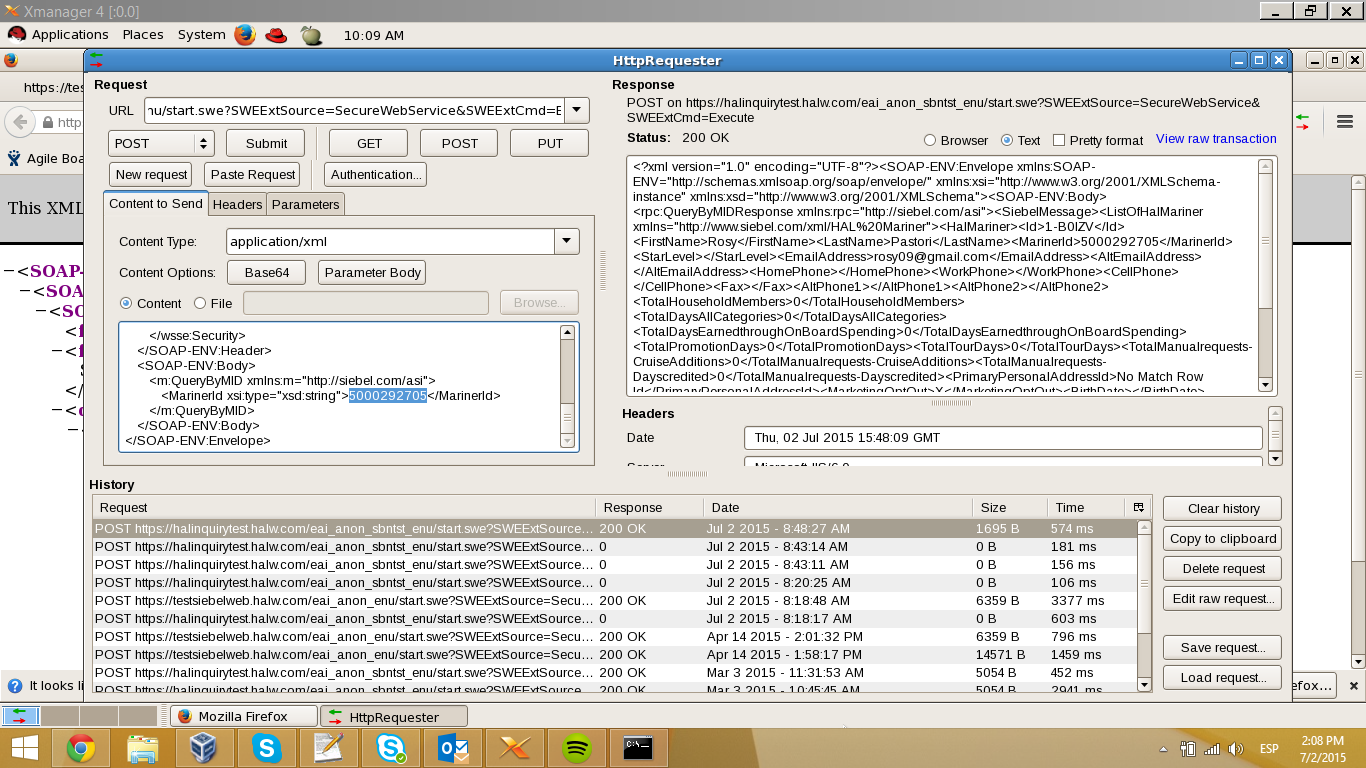
CJ, just check Siebel for SBN and is not returning the middle name…. if the middle was null it should return the tags empty, but in this case that tag is not commig. <CellPhone />

Here is a print screen from my VM that is inside HAL’s network. Haldevjbs22.

Siebel-Test-image001

Daily Verification with Selenium

Instructions: Daily Verification HAL Booking only.pdf

Resources: daily-automation.zip

Maurice, here are the files you need to run the Daily Verification test for HAL to get your daily booking.  If the OLCI or Secondary fails, don’t worry about it.  You only need the booking number, right?  I will fix anything else that goes wrong when I get back.

If you run into trouble, you can consult with Manuel, as he has trained a little bit on this.  I have attached the document he put together for himself for running Parts 1 and 2.

You will need to install Firefox add-ons Selenium IDE, File Logging (Selenium IDE) and ScreenShot on Error (Selenium IDE).  They can all be found by clicking on Add-ons in the Firefox hamburger menu.  You may have to search for them.

Flush DNS Without Rebooting

Mac El Capitan 10.11.1
$ sudo killall –HUP mDNSResponder;say flushed

Mac Yosemite 10.10.4+
$ sudo dscacheutil -flushcache;sudo killall -HUP mDNSResponder;say cache flushed

Mac Yosemite 10.10.3-
$ sudo discoveryutil mdnsflushcache;sudo discoveryutil udnsflushcaches;say flushed

Ubuntu:
Note: Ubuntu doesn't cache DNS by default unless you install a DNS cache service manually.
$ sudo /etc/init.d/dns-clean restart

Windows:
Right-click Command Prompt and select Run as Administrator.
Run the following command: ipconfig /flushdns

Important:
Don't forget to change your host file's IP to 10.57.225.54 for halprdgit01.hq.halw.com if you use a Mac or Linux machine and hard-coded the IP into the host file.

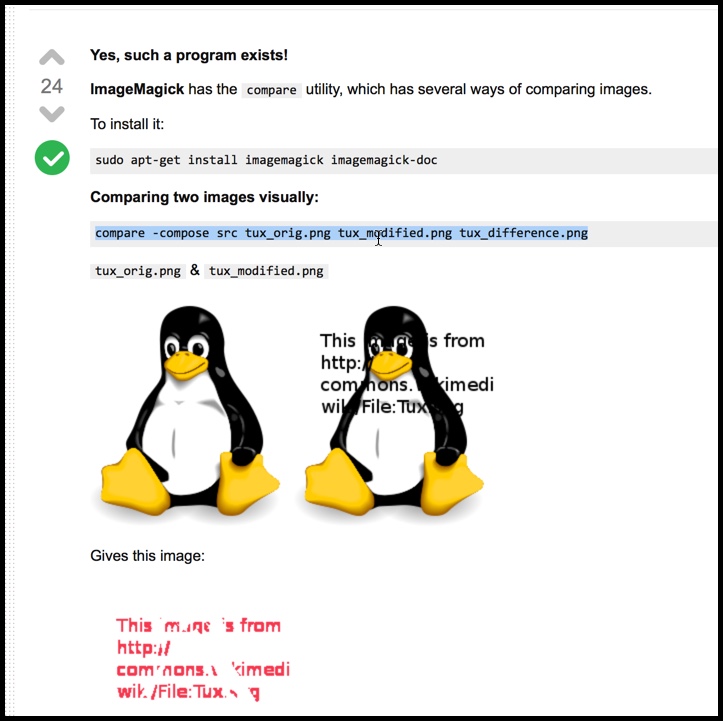
Compare two images

Refer: http://askubuntu.com/questions/209517/does-diff-exist-for-images
sudo apt-get install imagemagick imagemagick-doc
compare -compose src tux_orig.png tux_modified.png tux_difference.png

Compare-Two-Images-2015-11-17_06-08-27

Turning off Centrify

From: Schumacher, Mike (HAL)
Sent: Tuesday, November 10, 2015 10:01 AM
To: Sizemore, Berry (HAL Contractor); Boryczka, Joseph; Kassim, Ade (HAL Contractor)
Cc: Fillman, Eric (HA Group); Ruckman, Maurice (HA Group)
Subject: RE: VMs to setup a local login

You’ll also  need to run “service centrifydc stop” on all those VM’s (at DCC). Otherwise it will still attempt to authenticate with AD and won’t use the local account.

Thanks-

Mike

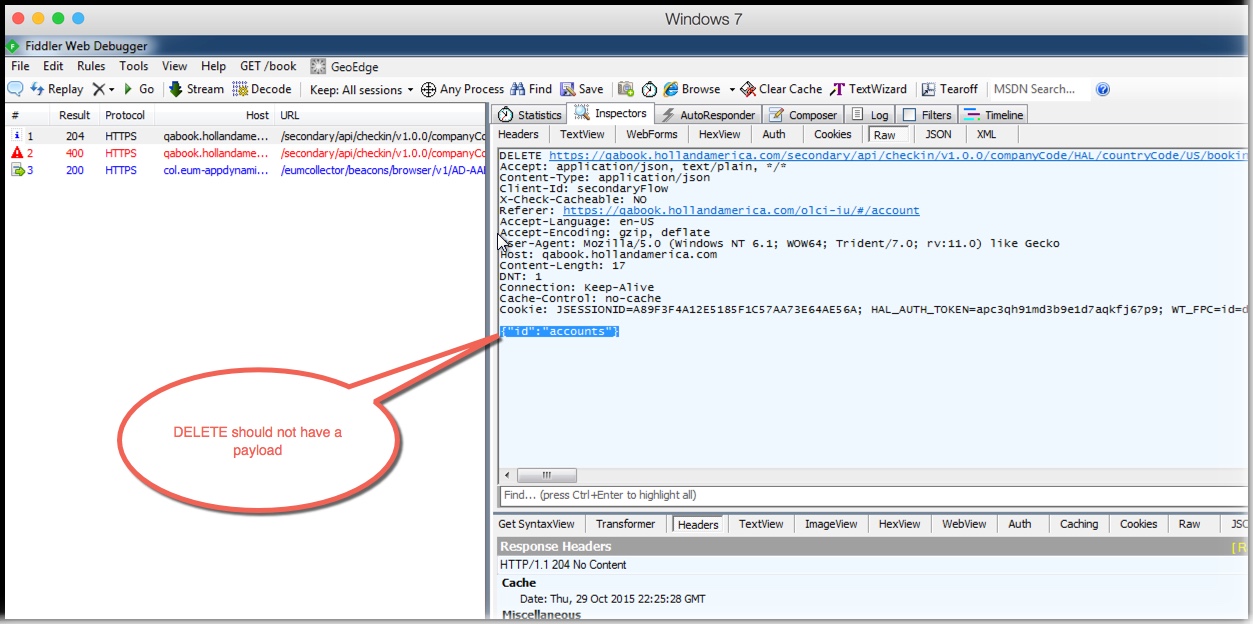
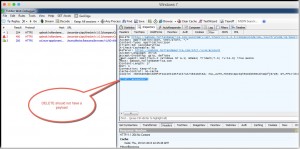
DEL Should NOT Send Payload – Akamai Error

From: Maurice Ruckman <MRuckman@HollandAmericaGroup.com>
Date: Thursday, October 29, 2015 at 9:24 PM
To: Ruchika Bhartiya <RBhartiya@HollandAmerica.com>, Donald Tripp <DTripp@HollandAmerica.com>, "Franco, Mark (CarnCorp)" <MFranco@carnival.com>
Cc: Anila Augustine <AAugustine@HollandAmericaGroup.com>, "Bogh, Allan (HA Group Contractor)" <ABogh@HollandAmericaGroup.com>, "DCosta, John (HA Group)" <JDCosta@HollandAmericaGroup.com>
Subject: Re: Akamai config for put/post

Thanks for the help Ruchika and Don! Just to close the loop on this. The issue turned out to be sending a payload with a DELETE request. Here are the final notes from a meeting with Akamai.

On Oct 29, 2015, at 3:48 PM, Gupta, Diwaker <diwakg@akamai.com> wrote:
Thank you for your time over the phone. Recap of discussion over the phone :

  • This issue is observed in the cases if the first request method is Delete , and contains a payload and the next requests uses the same persistent connection
  • The latest HTTP RFC states that there are no defined semantics for payloads in DELETE requests (https://tools.ietf.org/html/rfc7231#page-29).
  • It doesn’t specifically say they should be allowed or denied but mentions that a server may reject the request
  • We don’t deny this requests. However the payload is added to the subsequent request causing the request to fail
  • The fix will be to either remove delete payload, or deactivate persistent connection between Akamai and client for Delete method
  • As discussed we can remove the payload from Delete , and will re run the tests to confirm if the issue is fixed.

DEL-No-Payload-2015-10-29_15-38-48