
Cursor ARM Installation on Ubuntu

Use the following for installation of Cursor on ARM

curl -fsSL https://downloads.cursor.com/keys/anysphere.asc | gpg --dearmor | sudo tee /etc/apt/keyrings/cursor.gpg > /dev/null

echo "deb [arch=amd64,arm64 signed-by=/etc/apt/keyrings/cursor.gpg] https://downloads.cursor.com/aptrepo stable main" | sudo tee /etc/apt/sources.list.d/cursor.list > /dev/null

sudo apt update

sudo apt install cursor
Benchmark Ubuntu

Launch the following GUI tool from the command line

sudo apt update
sudo apt install hardinfo
hardinfo

Install Python3 on RHEL Servers

Make sure it's a RHEL Server

[haguxsndapp02 ~]$ cat /etc/*-release
NAME="Red Hat Enterprise Linux Server"
VERSION="7.9 (Maipo)"
ID="rhel"
ID_LIKE="fedora"
VARIANT="Server"
VARIANT_ID="server"
VERSION_ID="7.9"
PRETTY_NAME="Red Hat Enterprise Linux Server 7.9 (Maipo)"
ANSI_COLOR="0;31"
CPE_NAME="cpe:/o:redhat:enterprise_linux:7.9:GA:server"
HOME_URL="https://www.redhat.com/"
BUG_REPORT_URL="https://bugzilla.redhat.com/"

REDHAT_BUGZILLA_PRODUCT="Red Hat Enterprise Linux 7"
REDHAT_BUGZILLA_PRODUCT_VERSION=7.9
REDHAT_SUPPORT_PRODUCT="Red Hat Enterprise Linux"
REDHAT_SUPPORT_PRODUCT_VERSION="7.9"
Red Hat Enterprise Linux Server release 7.9 (Maipo)

Install Python3

sudo yum install epel-release
sudo yum install python36

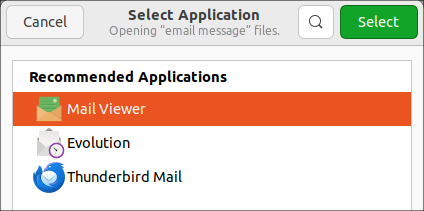
Opening msg Outlook files in Ubuntu or Linux Mint

Opening .msg Outlook files in Ubuntu or Linux Mint

Refer: https://freeelectron.ro/opening-msg-outlook-files-in-ubuntu-or-linux-mint/

Works okay, attachments are messed up.

Use this viewer instead and attachments might work.

To install msgconvert, open a shell, then type:

sudo apt-get install libemail-outlook-message-perl

Then cd to the folder where you have the .msg file or files, then type:

msgconvert *.msg

Remove PPA Files for Auto Update

Tailscale for example had issues updating on VPN. To remove the unwanted PPAs, such as Tailscale, follow these steps:

Get a list of installed PPAs

ls /etc/apt/sources.list.d/

It returns something like this

asbru-cm-release.list  proposed.list  sublime-text.list  tailscale.list  unit193-ubuntu-encryption-jammy.list  vscode.lis

To remove tailscale, use this command

sudo rm /etc/apt/sources.list.d/tailscale.list

Purge associated packages

sudo apt-get purge tailscale

Update the package list

sudo apt update