sudo apt-get install sshpass
Syntax of usage:
sshpass -p '' <ssh/scp command>

Technical notes, and other ideas.
sudo apt-get install sshpass
Syntax of usage:
sshpass -p '' <ssh/scp command>
Windows Keyboard
[Shift] + [Windows] + [Alt] + [V]
Mac Keyboard
[Shift] + [Alt] + [Command] + [V]
Ubuntu
Open Files, and under Network "Connect to Server"
smb://isilonpool01.hq.halw.com
You'll then be prompted to enter your domain and credentials, after that you should be connected.
Mac OS X
With ForkLift, Go, Connect
Your will need the following information:
Protocol:SMB
Server: isilonpool01.hq.halw.com
Username:
Password:
Starting the research
Tutorial: http://lcdev.dk/2012/11/18/raspberry-pi-tutorial-connect-to-wifi-or-create-an-encrypted-dhcp-enabled-ad-hoc-network-as-fallback/
Origin reference to tutorial: http://raspberrypi.stackexchange.com/questions/1074/how-can-i-setup-a-wireless-access-point-or-and-ad-hoc-network
Quick search looking for files not modified a particular day:
$ ls -clRt | grep -i "jboss1" | grep -v 'Feb 13' | more
The magic sauce is really this command
$ ls -clRt
Use this for a full listing with long dates, and not shortened
$ ls -clhRt --time-style long-iso
Launch the following in Ubuntu:
chromium-browser --disable-web-security
For Mac OSX
open /Applications/Google\ Chrome.app --args --disable-web-security
Refer: http://stackoverflow.com/questions/3102819/disable-same-origin-policy-in-chrome
Refer: https://romkey.com/2011/04/23/getting-around-same-origin-policy-in-web-browsers/
Listing Defined Variables
dir() will give you the list of in scope variables:
globals() will give you a dictionary of global variables
locals() will give you a dictionary of local variables
To get the names:
for name in vars().keys():
print(name)
To get the values:
for value in vars().values():
print(value)
If you need to setup an htpasswd file and need the file path
Refer: file-path.php
Create the password file with PGP
Refer: create-password.php
Site reference: http://www.htaccesstools.com/articles/create-password-for-htpasswd-file-using-php/
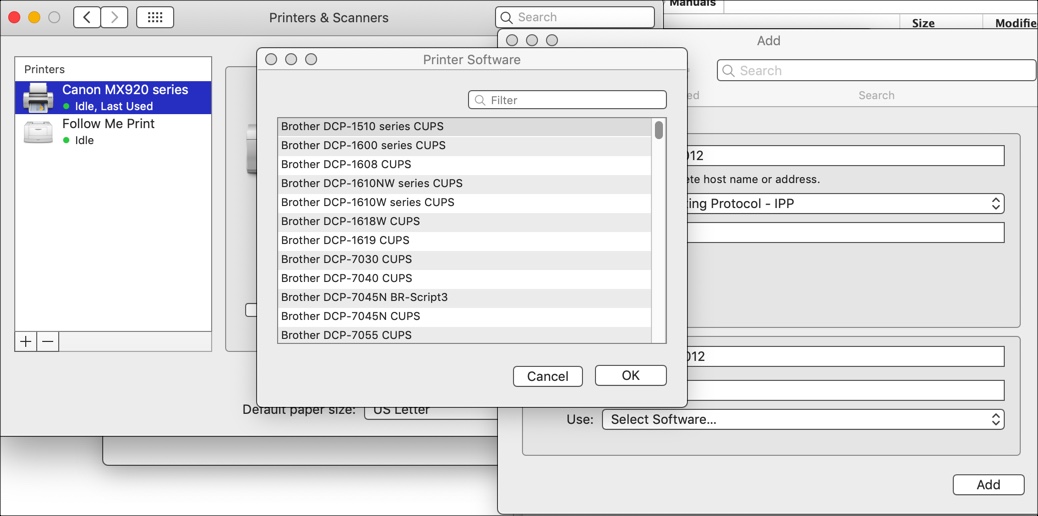
Installing Brother HL-2170W LaserJet on Ubuntu 14.02 and 18.04
Refer: https://support.brother.com/g/b/downloadtop.aspx?c=us&lang=en&prod=hl2170w_all
Mac Setup, Get Binary from Site
IP address for installation is: 192.168.000.012
Web Interface is: http://192.168.0.12/printer/main.html
Brother has web portal at http://192.168.0.12 (admin / access)
The Brother site does has some installation instructions but it's for 32-bit software had to mess around with it, but the drivers seem to work, maybe? Still used the Printer wizard.
Here's the installation instructions and *.gz file:
linux-brprinter-installer-2.2.zip
Using the wizard from the command line is the best way to install. Choose option to install with IP address, when finishing and testing the installation.
Make sure you run the installation as sudo and also choose at the end "Will you specify the Device URI? [Y/n] ->y" with option 12 to specify the IP address of the printer as 192.168.0.12
AppSocket/HP JetDirect
Host: 192.168.86.35 (T-Mobile)
Host: 192.168.0.12 (XFinity)
Click Forward
Click Apply
Older Notes
Use PPD to install: brother-hl-2170w-PPD
Delete old crash reports to see if it fixes the problem.
$ sudo rm /var/crash/*
Refer: http://askubuntu.com/questions/365358/im-getting-a-lot-of-system-program-problem-detected-error-dialogs-is-there-a