Update Canon G7020 Firmware

G7020 printer issue - "The latest firmware is on the server. Install the firmware update" message

I see the constant message "The latest firmware is on the server. Install the firmware update" on the printer's screen. If I am pressing OK, the message is dissaperaing, but in an hour or two I can see it again. A cannot update firmware as official Canon servers do not contain any firmware versions

To update the firmware, please follow these steps:

  • Press the wrench and screwdriver button 1 time
  • Press the right arrow 2 times to select Device settings and press OK
  • Press the right arrow 5 times to select Firmware update and press OK
  • Press OK on Install update

Refer: https://community.usa.canon.com/t5/Desktop-Inkjet-Printers/G7020-printer-issue-quot-The-latest-firmware-is-on-the-server/td-p/342675

Canon MX920 Ubuntu Printer for Home

For Ubuntu 20.04, download the Ubuntu_20.04_Printer_Setup.zip file and follow the instructions.

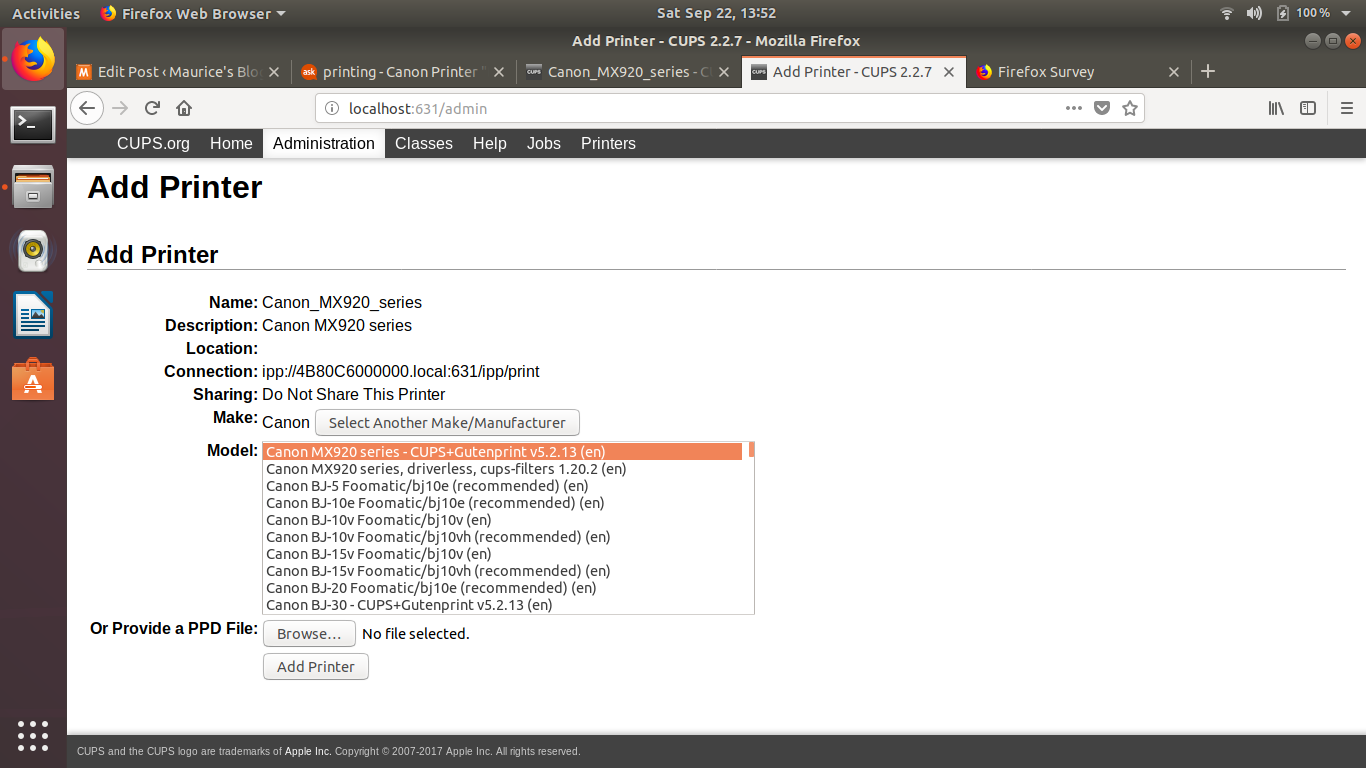
For Ubuntu 18.04 18.04 setup it was necessary to go through the browser base setup instead of the GUI based setup:

Important - Security is messed up and a fix is required:
Refer: https://bugs.launchpad.net/ubuntu/+source/cups/+bug/1769893
$ sudo usermod -aG lpadmin YourUserName

http://localhost:631/admin

As you go through the settings choose the CUPS option for MX900 and NOT the driverless version.  It should look something like:

Canon MX920 series - CUPS+Gutenprint v5.2.13 (color, 2-sided printing)

Older Items from Research - DO NOT USE - Does NOT Work

Go here, to copy off the drivers, you will have to be sudo and copy them and change permissions
/etc/cups/ppd for files ending in ".ppd"

Trying to troubleshot MX922 Cannon printer, seemed to stop working after 18.04.1 upgrade.

Refer: https://askubuntu.com/questions/1052928/canon-printer-does-not-accept-jobs-on-ubuntu-18-04