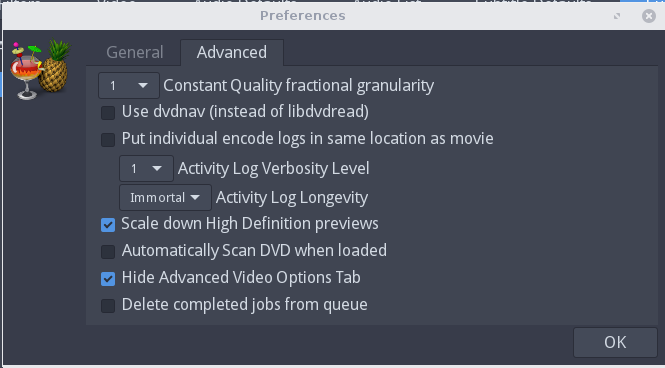
Go to File, Preferences, Advanced, and toggle the "Use dvdnav (instead of libdvdread). By default on Ubuntu this is checked, try unchecking it, when done put it back again.

Technical notes, and other ideas.
Go to File, Preferences, Advanced, and toggle the "Use dvdnav (instead of libdvdread). By default on Ubuntu this is checked, try unchecking it, when done put it back again.
Refer: https://launchpad.net/~stebbins/+archive/ubuntu/handbrake-releases
From a terminal do the following three steps, Had to do step one to purge, logout and finish the other two steps
Remove any old versions:
$ sudo apt-get purge handbrake # remove any old versions
$ sudo add-apt-repository ppa:stebbins/handbrake-releases
$ sudo apt-get update
$ sudo apt-get install handbrake-gtk
The command line interface:
$ sudo apt-get install handbrake-cli
/media/Cavalry2T/DVD's/Joseph