Looking for bash script includes which use a period but NOT a preceding slash. Slick little regex example:
$ grep "^\. [^/]*sh" *

Technical notes, and other ideas.
Looking for bash script includes which use a period but NOT a preceding slash. Slick little regex example:
$ grep "^\. [^/]*sh" *
The issue with recoding Snagit sessions, is it puts the audio on two tracks and when uploading it to YouTube, the audio disappears. Use VLC to see how the audio would play. Using QuickTime to convert the video. iMove does the same thing too, but it takes lots of resources as it imports media into it's library.
Steps to Process with QuickTime 7


Steps to Process with iMovie
Please see attached sample Perl Script.
# Take a current snapshot
# Start appliance and open a terminal
$ sudo apt-get update
$ sudo apt-get install build-essential
# Reinstall the Guest Editions
Devices, "Insert Guest Editions CD Image..."
Run, Enter your credentials, and let it install
Reboot your Appliance
# See if it works, and if it does
Shutdown, delete snapshot and take new snapshot
Refer: http://ubuntuforums.org/showthread.php?t=1632528
Run the three commands:
$ sudo apt-get install -f
$ sudo dpkg --configure -a
$ sudo apt-get update && sudo apt-get upgrade
When launching the SQL Developer bash script it asked for the Java location, could not find it.
If you’ve installed Java 7, and you launch SQL Developer, use this as the path, or the equivalent:
/usr/lib/jvm/java-7-oracle
You can set your java_home but this does not help the above:
sudo nano /etc/environment
JAVA_HOME=/usr/lib/jvm/java-7-oracle
SQL Developer that works with Java 7:
http://www.oracle.com/technetwork/developer-tools/sql-developer/downloads/sqldev-downloads-403-2529784.html
sqldeveloper-4.0.3.16.84-no-jre.zip
Bonus:
Use Filter: WEB% for HAL
# Example to quickly look for a deleted file
$ git log --diff-filter=D --summary | grep -i delete | grep -i barclay
Use this to find actual commit for file and you can search it like a less command
$ git log --diff-filter=D --summary
Refer: http://stackoverflow.com/questions/7203515/how-to-locate-a-deleted-file-in-the-commit-history
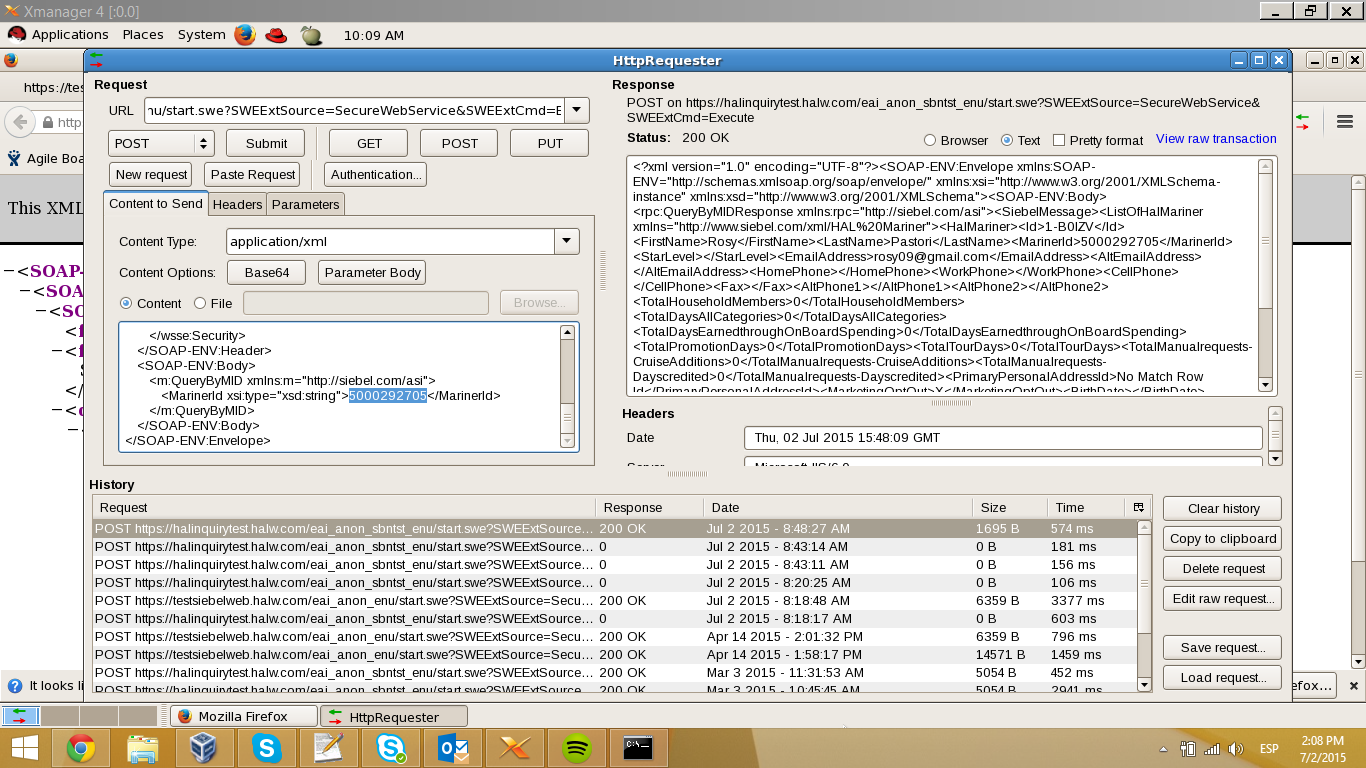
CJ, just check Siebel for SBN and is not returning the middle name…. if the middle was null it should return the tags empty, but in this case that tag is not commig. <CellPhone />
Here is a print screen from my VM that is inside HAL’s network. Haldevjbs22.
Instructions: Daily Verification HAL Booking only.pdf
Resources: daily-automation.zip
Maurice, here are the files you need to run the Daily Verification test for HAL to get your daily booking. If the OLCI or Secondary fails, don’t worry about it. You only need the booking number, right? I will fix anything else that goes wrong when I get back.
If you run into trouble, you can consult with Manuel, as he has trained a little bit on this. I have attached the document he put together for himself for running Parts 1 and 2.
You will need to install Firefox add-ons Selenium IDE, File Logging (Selenium IDE) and ScreenShot on Error (Selenium IDE). They can all be found by clicking on Add-ons in the Firefox hamburger menu. You may have to search for them.
Mac El Capitan 10.11.1
$ sudo killall –HUP mDNSResponder;say flushed
Mac Yosemite 10.10.4+
$ sudo dscacheutil -flushcache;sudo killall -HUP mDNSResponder;say cache flushed
Mac Yosemite 10.10.3-
$ sudo discoveryutil mdnsflushcache;sudo discoveryutil udnsflushcaches;say flushed
Ubuntu:
Note: Ubuntu doesn't cache DNS by default unless you install a DNS cache service manually.
$ sudo /etc/init.d/dns-clean restart
Windows:
Right-click Command Prompt and select Run as Administrator.
Run the following command: ipconfig /flushdns
Important:
Don't forget to change your host file's IP to 10.57.225.54 for halprdgit01.hq.halw.com if you use a Mac or Linux machine and hard-coded the IP into the host file.