Click the "Advanced" button on the sign-in window
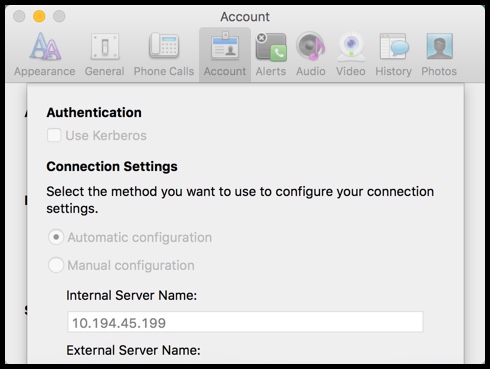
Select "Manual Configuration" radio button and paste "10.194.45.199" for the Internal Server Name
Select Ok
Then sign-in with your AD credentials
Reboot laptop and then change it to automatic

Technical notes, and other ideas.
Click the "Advanced" button on the sign-in window
Select "Manual Configuration" radio button and paste "10.194.45.199" for the Internal Server Name
Select Ok
Then sign-in with your AD credentials
Reboot laptop and then change it to automatic